

Product links get buried
The same featured pieces are requested repeatedly across comments and DMs.
Send current product pages, lookbooks, size guides, launch details, and boutique information when shoppers engage with fashion content.
Let the content inspire while the Automation delivers the exact shopping destination.
Suitable for
01 · Post comment
Posts
northlinefashion
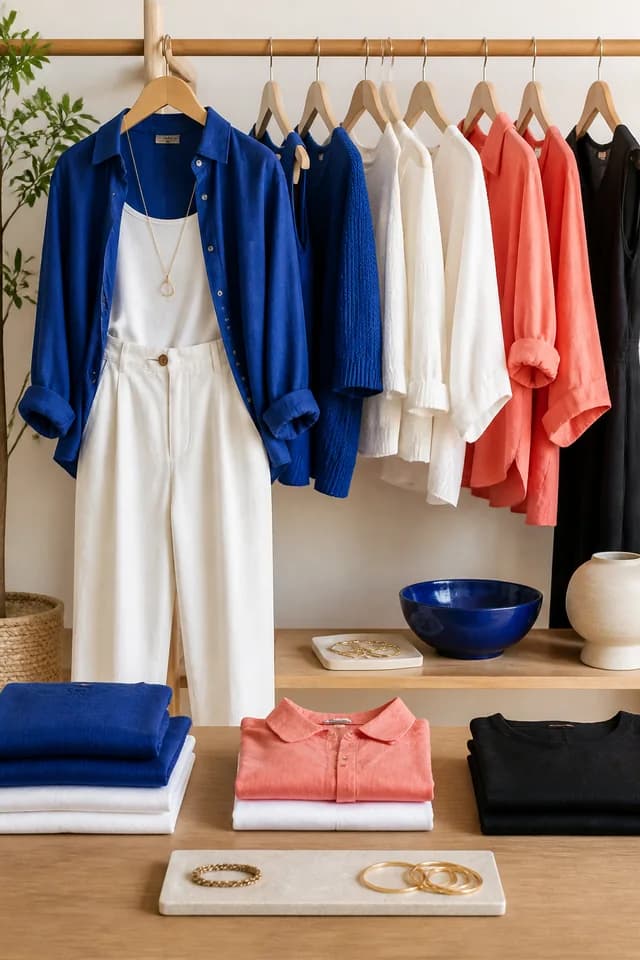
New collection
Easy layers designed for everyday movement
Comment SHOP for the featured pieces
1,248 likes
northlinefashion Comment SHOP for the featured pieces
View all 32 comments
02 · DM delivered
northlinefashion
Automated reply
The opportunity
Shoppers ask for links, sizes, colors, lookbooks, prices, and launch details across posts, Reels, and Stories. The right destination can arrive immediately while stock and fit remain tied to the brand's current store.
The same featured pieces are requested repeatedly across comments and DMs.
Drops, restocks, creator edits, and limited collections generate short bursts of demand.
Sizes, colors, availability, pricing, and shipping must remain connected to the live store.
Built for your audience
Start with one repeatable request. Choose the trigger, prepare the response, and give people a direct route to the information they asked for.
Send the featured item, collection, or creator edit directly from engagement.
Deliver approved size guides, care information, and lookbooks before purchase.
Use distinct Automations for drops, restocks, seasonal edits, and boutique events.
Practical examples
Trigger
A shopper comments "SHOP" on an outfit Reel.
Automation
InboxLoop sends the exact featured pieces and current collection page.
Next step
The shopper reaches the products without searching the full store.
Trigger
A customer comments "SIZE" on a product post.
Automation
InboxLoop sends the brand's official size and fit guide.
Next step
The customer can review current guidance before choosing a product.
Trigger
A Story viewer replies "DROP" to a launch preview.
Automation
InboxLoop sends the launch time, collection page, and current details.
Next step
High-intent launch interest reaches the official destination.
How it works
Step 1
Authorize the Professional account you want InboxLoop to support.
Step 2
Choose the trigger, keywords, public reply, DM, and destination.
Step 3
Go live, monitor conversations, and refine the Automation as you learn.
Approved style guidance now, live product details in your store.
You control every product link, lookbook, and guide. InboxLoop does not guarantee fit, stock, delivery, pricing, materials, or product suitability.
Questions
Yes. Your configured DM can include approved links to the items or collection featured in the content.
Yes. A comment or DM keyword can deliver your current official size guide.
Yes. Each drop, collection, restock, or creator campaign can have its own keyword and message sequence.
No. Availability, pricing, variants, and delivery remain with your live store or team.
Explore another solution
Start with one request you answer repeatedly and turn it into a clear, controlled response.
Start free